Check texture placement
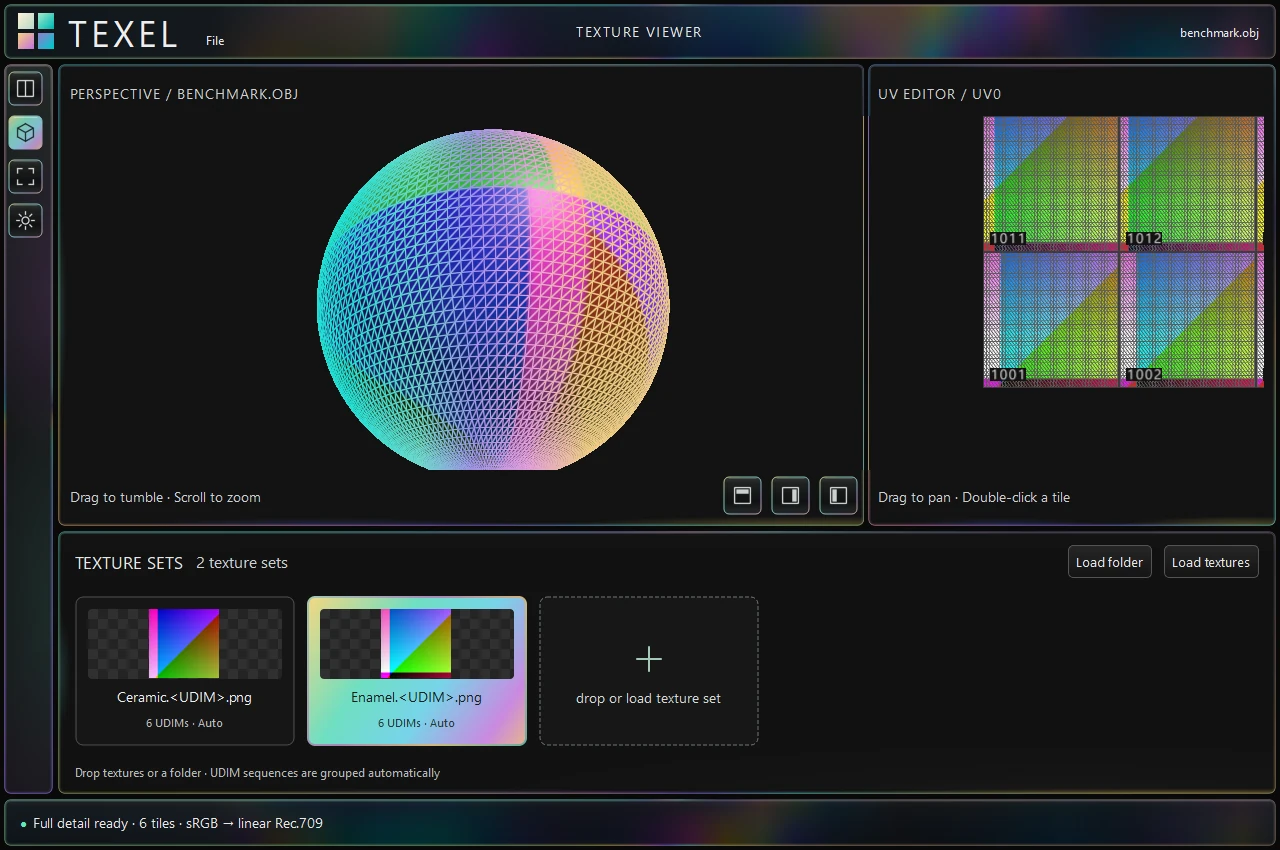
View the model beside its UV layout. Use wireframe to inspect seams and placement, or isolate a UDIM tile to examine its image more closely.
TOOLS DEVELOPMENT / TEXTURE DEBUGGING
Texel helps you check textures on a model and in UV space. Load your geometry and maps, inspect individual UDIM tiles, and look for problems with texture placement, map assignments, or color settings.
01 / WHAT YOU CAN CHECK
View the model beside its UV layout. Use wireframe to inspect seams and placement, or isolate a UDIM tile to examine its image more closely.
Load a texture set and check which images drive base color, roughness, metalness, and normals. Adjust exposure and color interpretation when a texture looks unexpected.
After updating your source textures, press Ctrl+R to reload known files. Save a .texel session to return to the same assets and viewing setup.
02 / SUPPORTED FILES & DISPLAY
Alembic, USD, OBJ, glTF
Flat EXR, TIFF, PNG, JPEG · UDIM sets
Choose working and display settings, including OCIO. Use Raw / Data for roughness and normal maps.
Inspect texture alpha over a checkerboard in UV space. The 3D preview is currently opaque.
03 / PROJECT STATUS
Texel is an independent Windows tool focused on viewing and manually checking existing textures. Large texture workloads are still being tested; loading may reduce detail to stay within memory budgets.
Large-workload frame timing and 8K detail latency remain unresolved. Clean-machine compatibility and arbitrary graphics-device recovery have not been established. Deep EXR is not supported.
Reload refreshes known files; reimport to discover new tiles. Sessions reference assets rather than embedding them. Texel is built with C++, Qt, and Vulkan; native paging remains in development.